Octoboard
Start free

The control plane for work in GitHub, for your team and your AI agents.

Octoboard reads your issues, pull requests, CI runs and deploys, shows what is stuck and at risk, and gives AI coding agents a work queue they can read over MCP.

Free for all teams. No per-seat pricing. Reads metadata only.

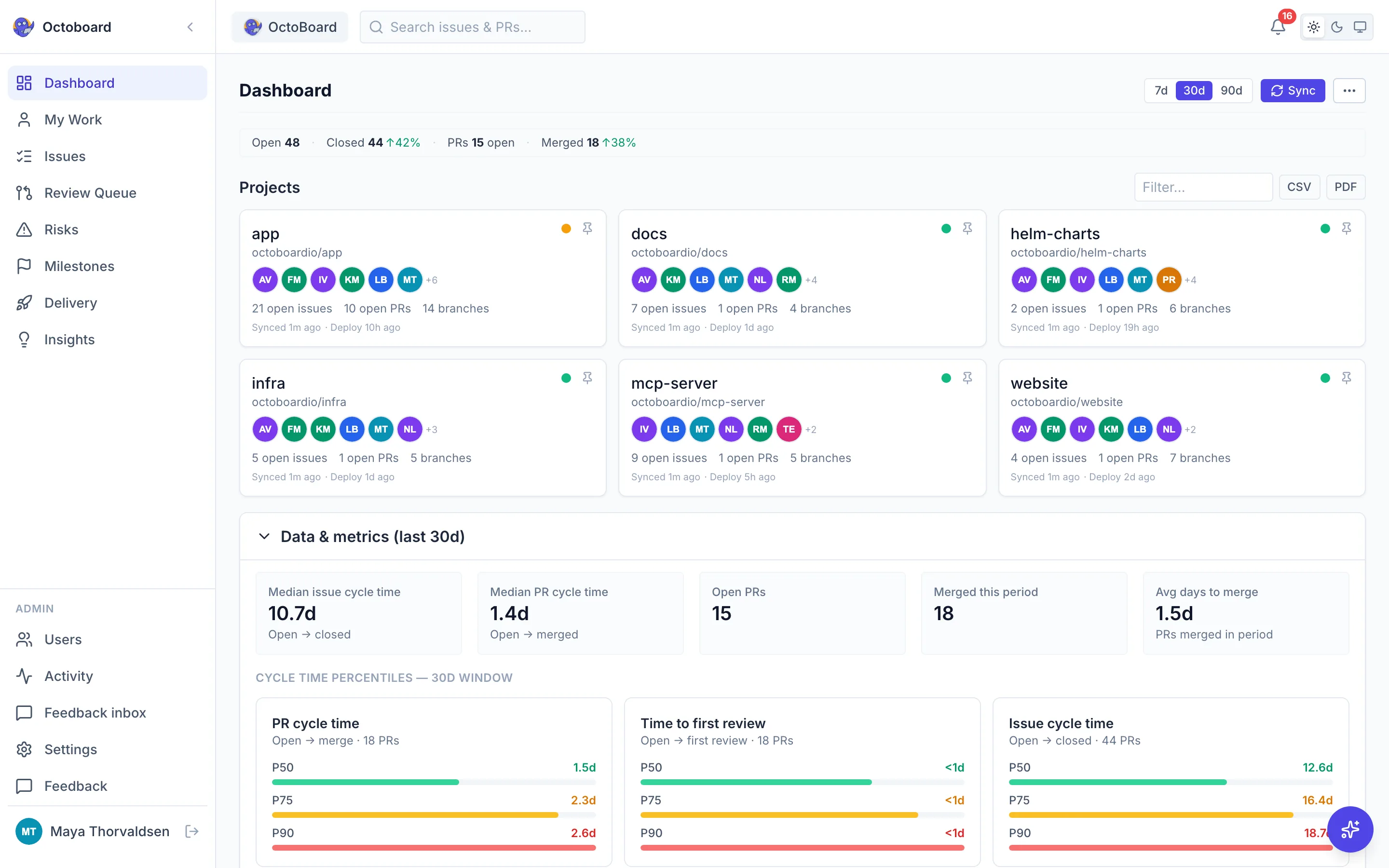
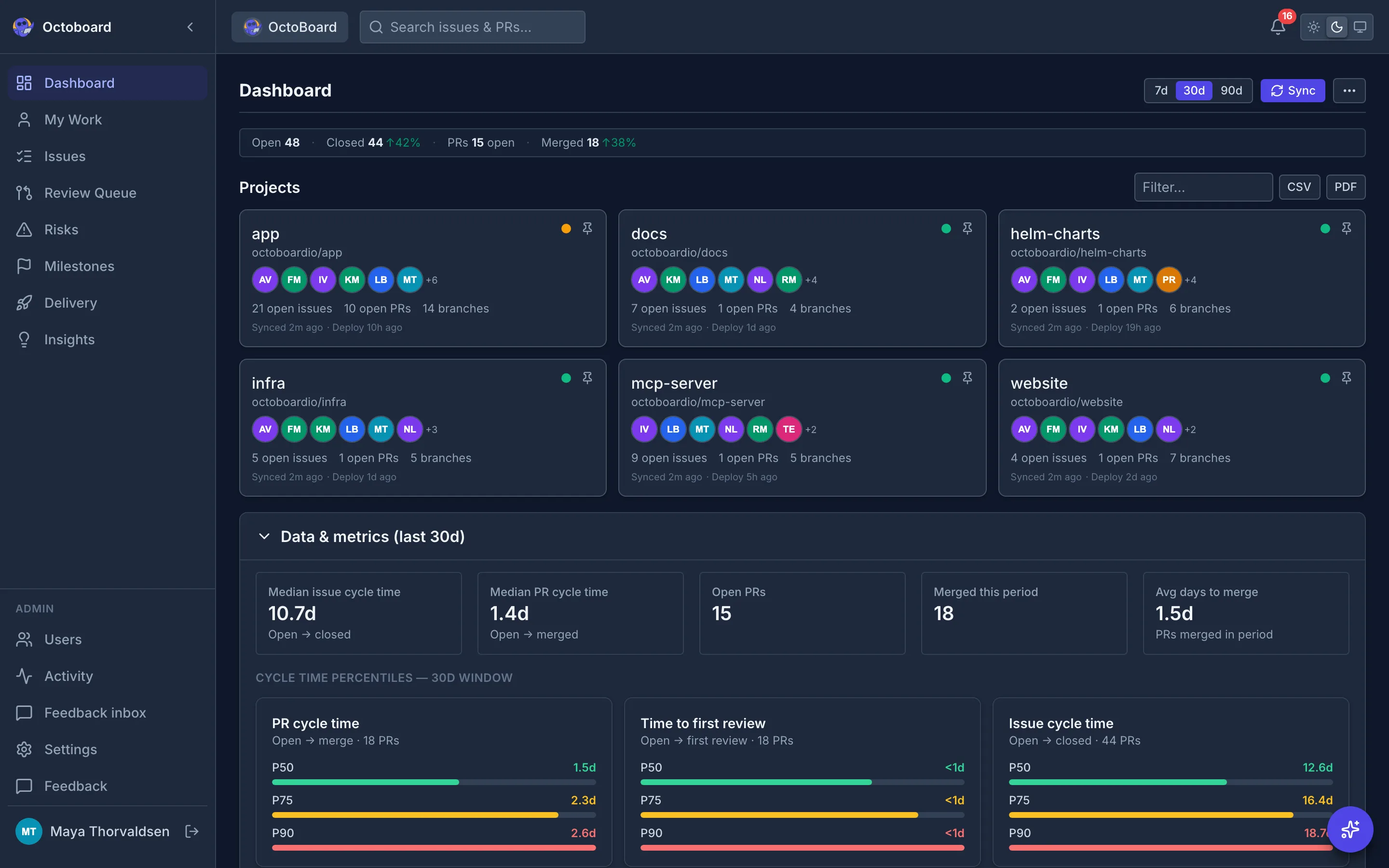
Octoboard dashboard with open issue and pull request counts, a throughput trend, project health across repositories and the top risks Octoboard dashboard with open issue and pull request counts, a throughput trend, project health across repositories and the top risks
Sample data
What your agent reads over MCP

server app.octoboard.io/api/mcp

tool ready_for_agent

returns open issues that are unassigned, not blocked and not waiting on refinement, sized first

Works with

  • GitHub
  • GitHub Actions
  • GitHub Copilot
  • Claude
  • Cursor
  • Model Context Protocol
  • Codex
  • Devin

Built and used at

  • CloudDrove 60+ repos tracked

CloudDrove is Octoboard's first team and the company where Octoboard was built.

One queue for work, whoever picks it up

An agent reads the queue over MCP, opens a pull request in GitHub, and a person on your team reviews it. Octoboard keeps every step visible.

How an AI agent picks up work through Octoboard 1. A GitHub issue is sized, unassigned and not blocked. 2. An AI coding agent calls ready_for_agent on the Octoboard MCP server and picks that issue. 3. The agent opens a pull request in GitHub. 4. Octoboard lists the pull request in the review queue under AI agents. 5. A person on your team reviews it and approves or asks for changes. 6. The merge, CI runs and deploy are tracked in Delivery. AI agent GitHub Octoboard People Octoboard MCP Issue is ready Sized and unassigned 1 Agent asks for work Calls ready_for_agent 2 Agent opens a PR Linked to the issue 3 Review queue Listed under AI agents 4 A person reviews Approves the change 5 Merge and deploy Tracked in Delivery 6 How an AI agent picks up work through Octoboard 1. A GitHub issue is sized, unassigned and not blocked. 2. An AI coding agent calls ready_for_agent on the Octoboard MCP server and picks that issue. 3. The agent opens a pull request in GitHub. 4. Octoboard lists the pull request in the review queue under AI agents. 5. A person on your team reviews it and approves or asks for changes. 6. The merge, CI runs and deploy are tracked in Delivery. Issue is ready Sized and unassigned GitHub 1 Agent asks for work Calls ready_for_agent AI agent 2 Agent opens a PR Linked to the issue GitHub 3 Review queue Listed under AI agents Octoboard 4 A person reviews Approves the change People 5 Merge and deploy Tracked in Delivery Octoboard 6

Octoboard reads GitHub and answers agents. It does not write to GitHub: the agent opens the pull request with its own access, and a person approves the merge.

What you see after you sign in

These are the real screens from the app. Each one reads straight from your GitHub issues, pull requests, and Actions runs.

Risks

Catch problems before they escalate

Stale PRs (7+ days), stale issues (14+ days), and unassigned work are surfaced automatically, each with a direct link to GitHub.
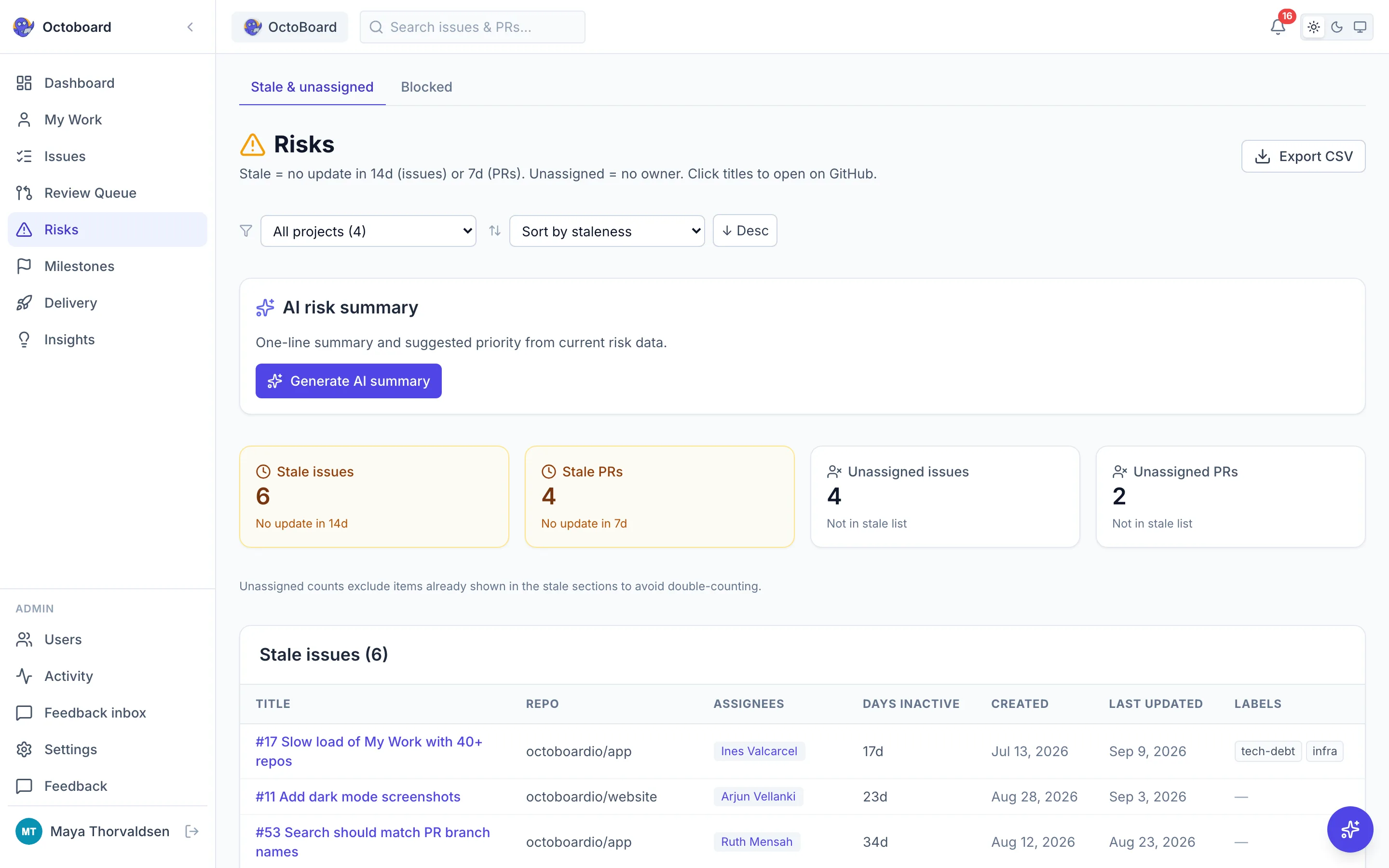
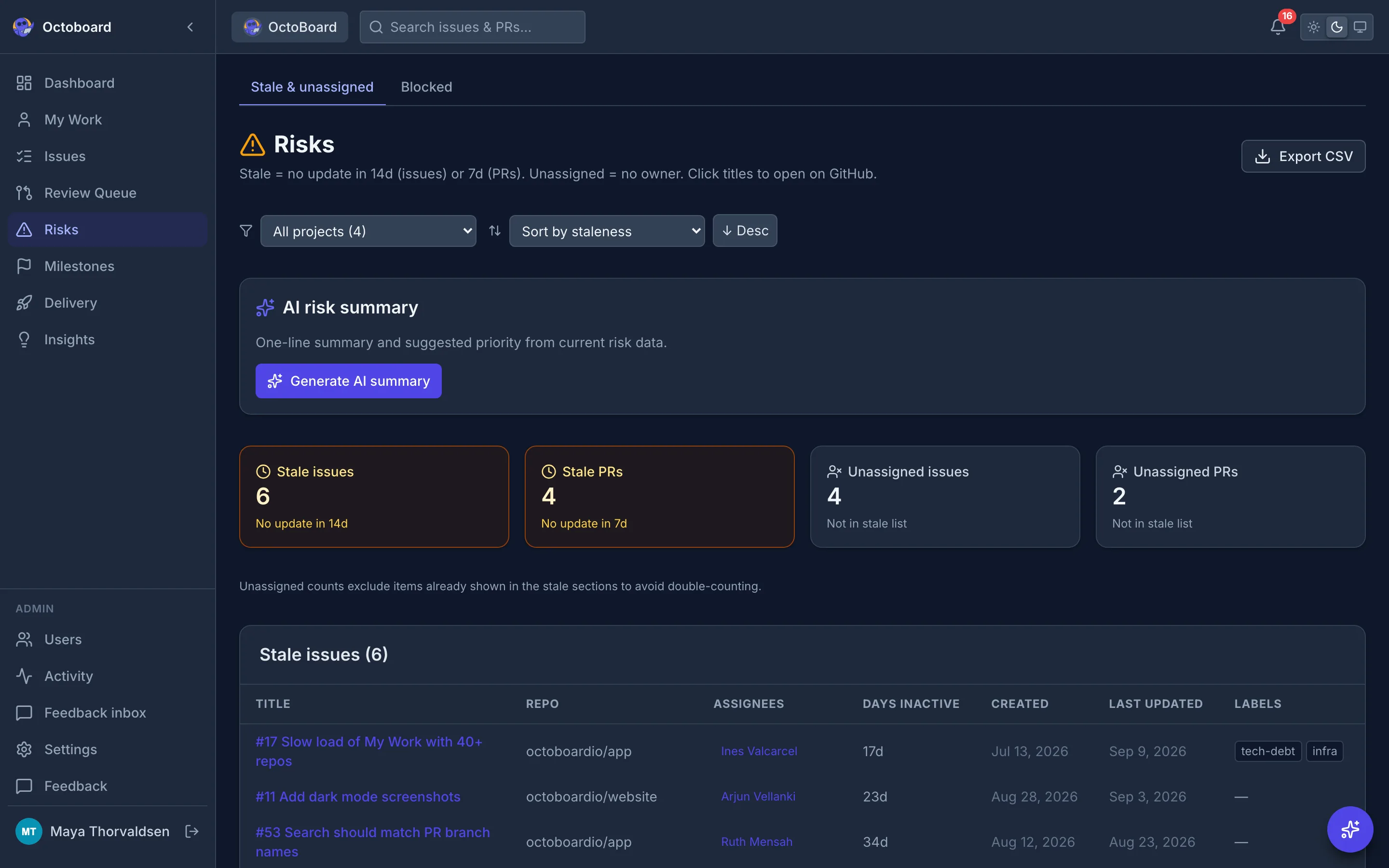
Risks view listing stale pull requests, stale issues and unassigned work, grouped by type with the repository and age of each item Risks view listing stale pull requests, stale issues and unassigned work, grouped by type with the repository and age of each item
Sample data

Review queue

See which pull requests are waiting on review

Open, non-draft pull requests grouped by review status, oldest first, next to a count of open review requests per reviewer. The Opened by filter separates people, AI agents, dependency bots and other automation.

How agent pull requests are grouped
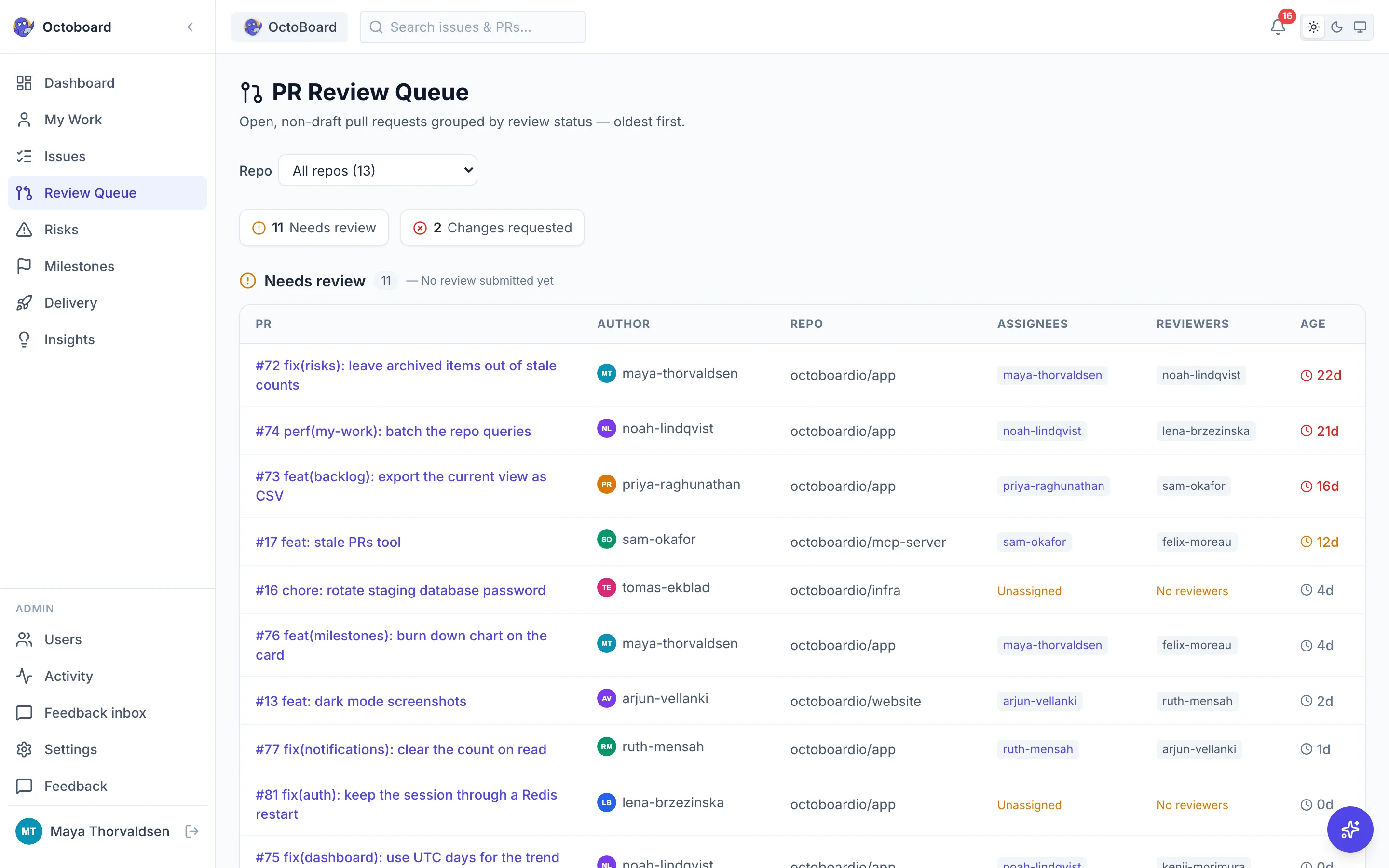
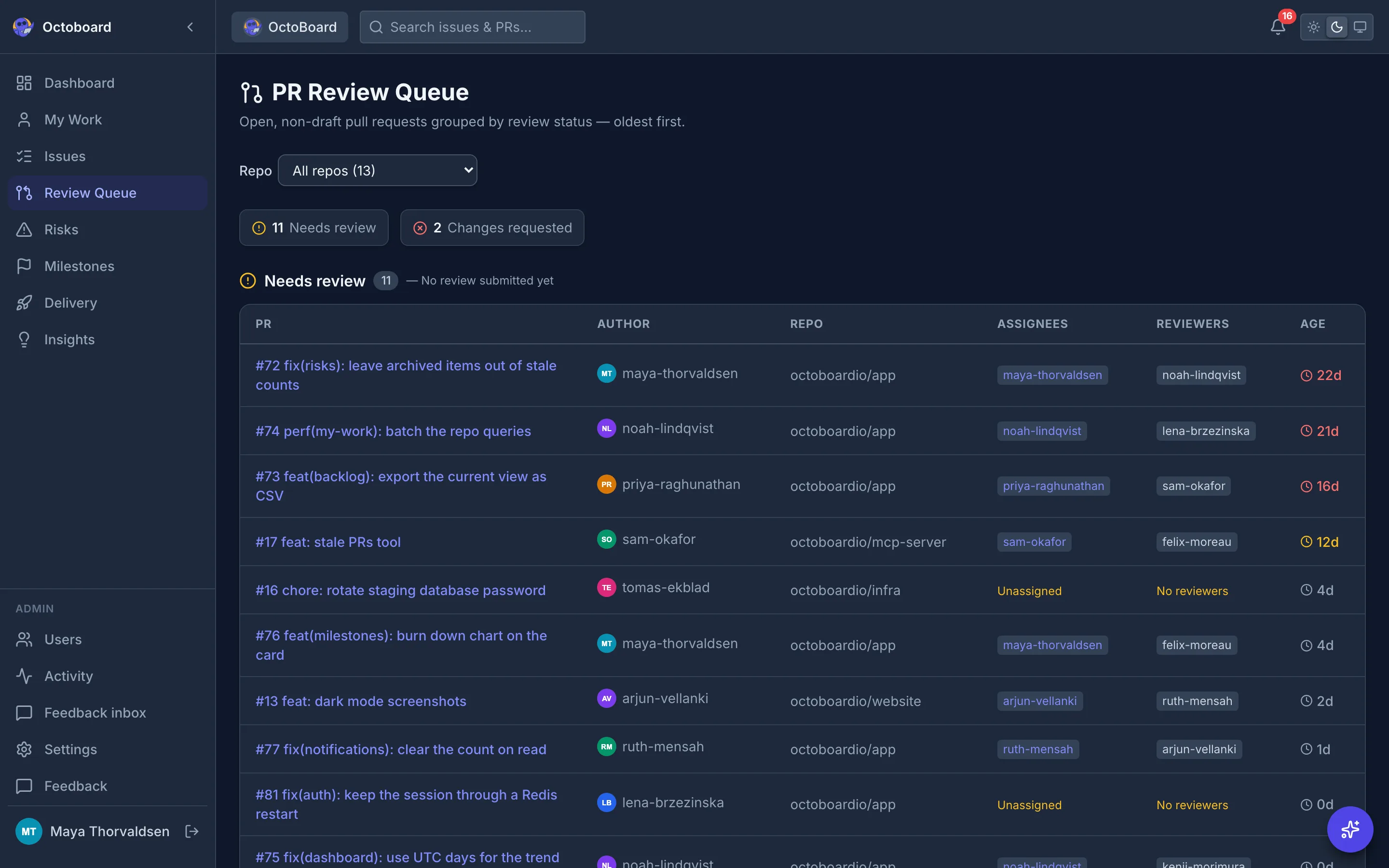
PR review queue with open pull requests grouped into needs review, changes requested and approved, and a reviewer workload table PR review queue with open pull requests grouped into needs review, changes requested and approved, and a reviewer workload table
Sample data

Delivery

DORA metrics built in

Deployment frequency, lead time, change failure rate, and MTTR, derived from your GitHub Actions runs and PR data. No extra tooling.

How each metric is calculated
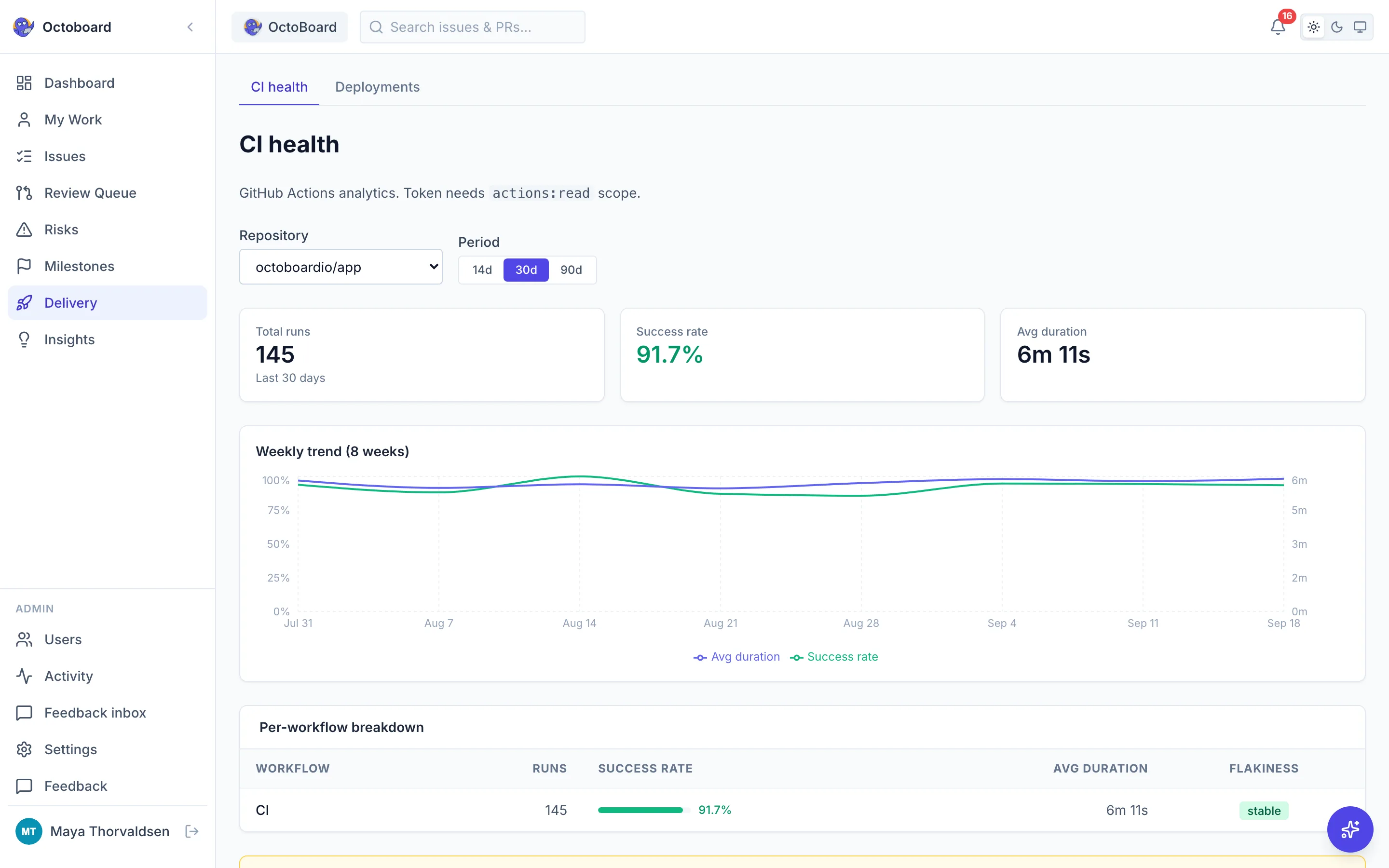
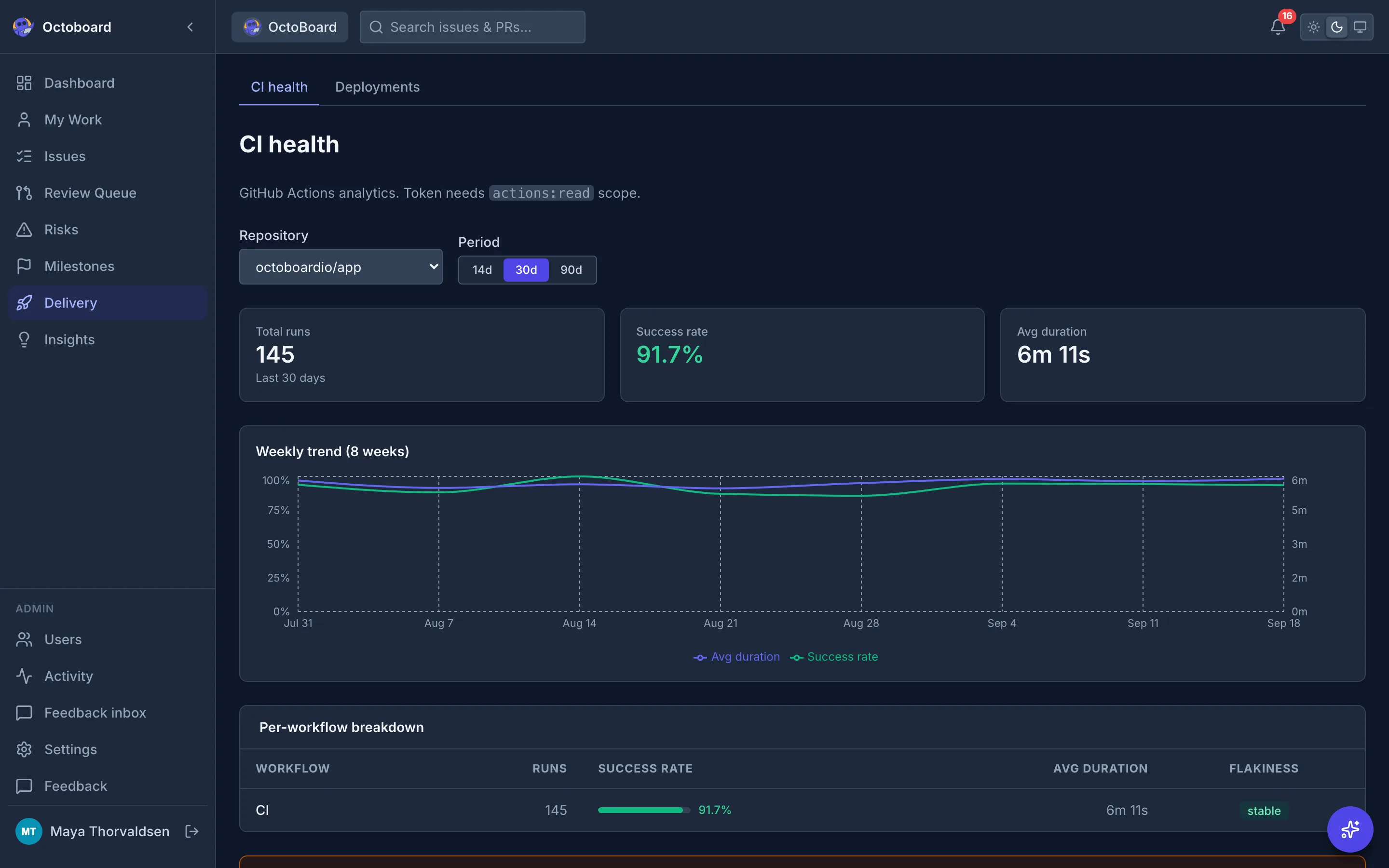
Delivery view with deployment frequency, lead time, change failure rate and time to restore, plus recent workflow runs Delivery view with deployment frequency, lead time, change failure rate and time to restore, plus recent workflow runs
Sample data

Insights

AI that understands your delivery

Written summaries of patterns in cycle time, throughput, and milestones. Included on the hosted app. Self-host and point it at Groq, OpenAI, Anthropic, or Ollama. Only ticket metadata is sent, never file contents or diffs.
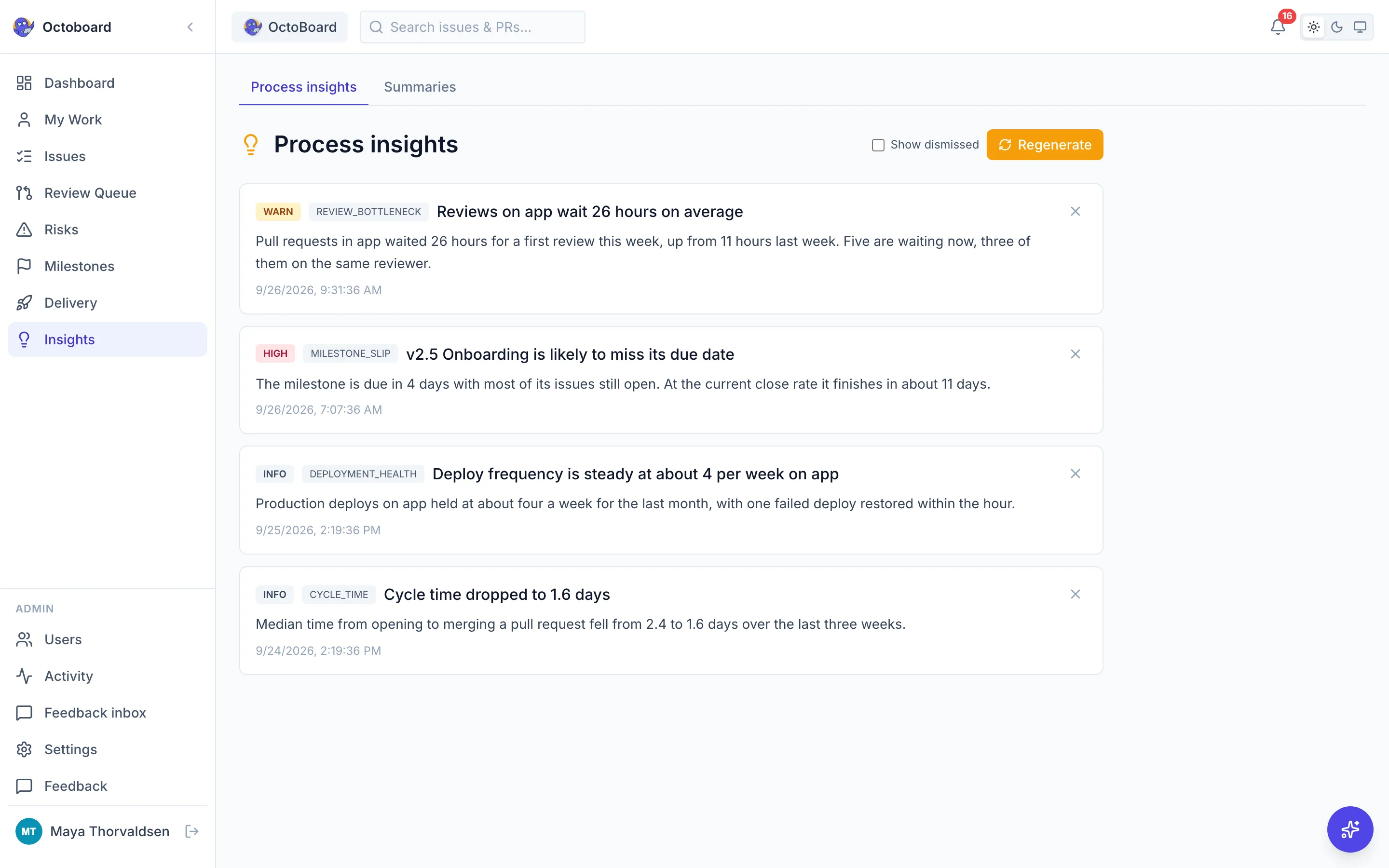
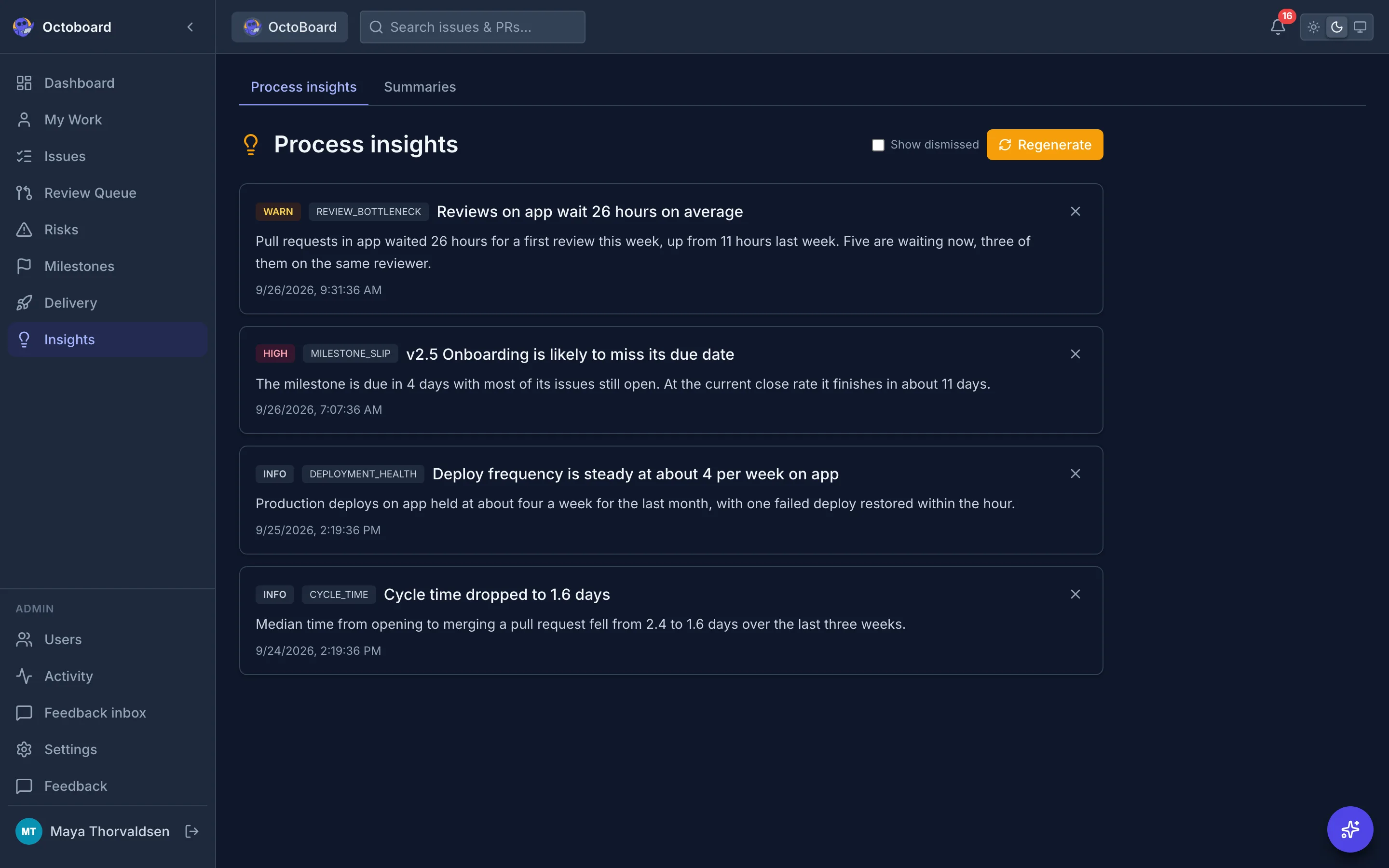
Process insights page listing AI written findings about cycle time, throughput and milestone slippage, each tagged by severity Process insights page listing AI written findings about cycle time, throughput and milestone slippage, each tagged by severity
Sample data

My Work

One list for what is on your plate

Issues assigned to you, your open pull requests, and the reviews teammates have requested from you, across every tracked repo.
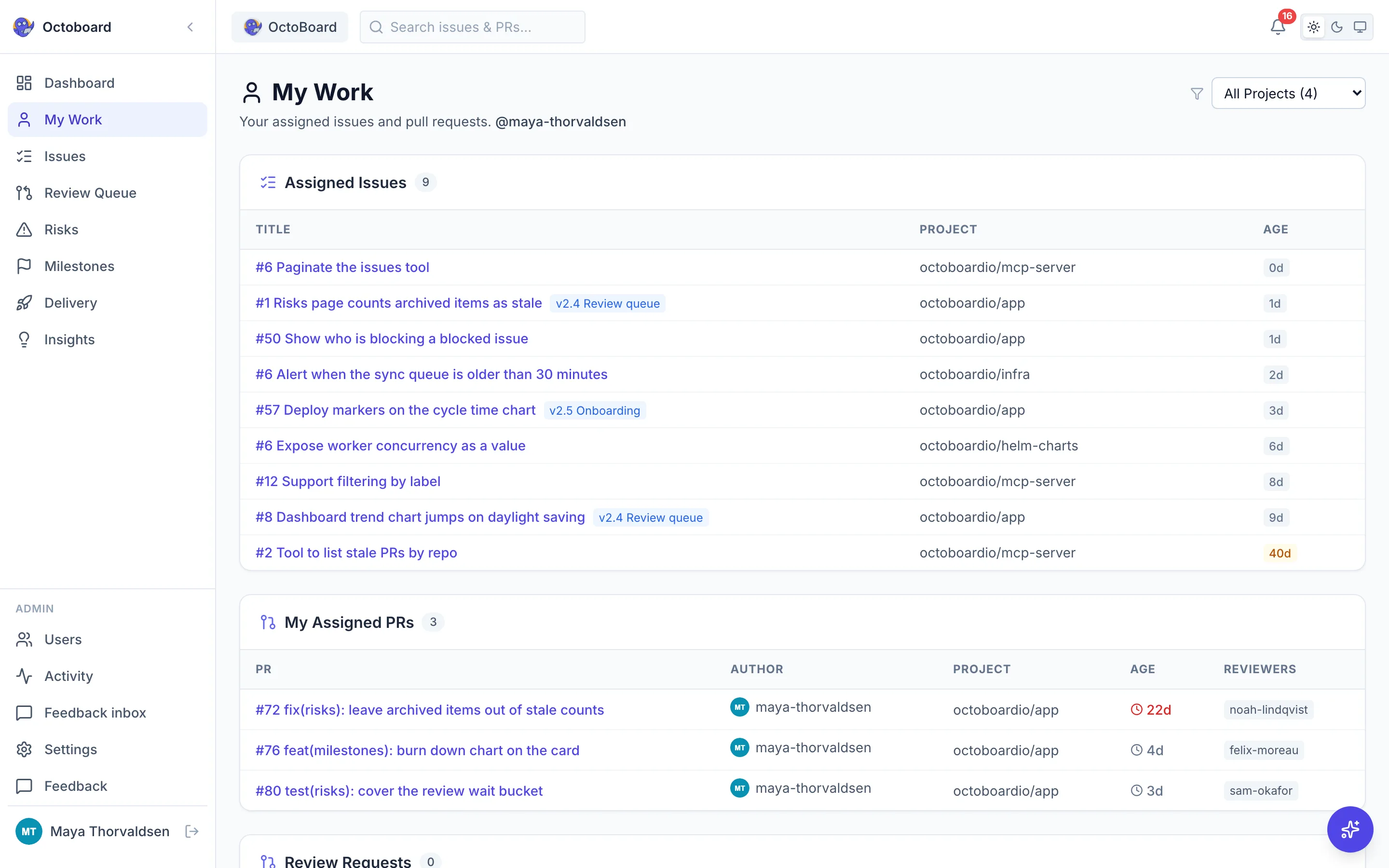
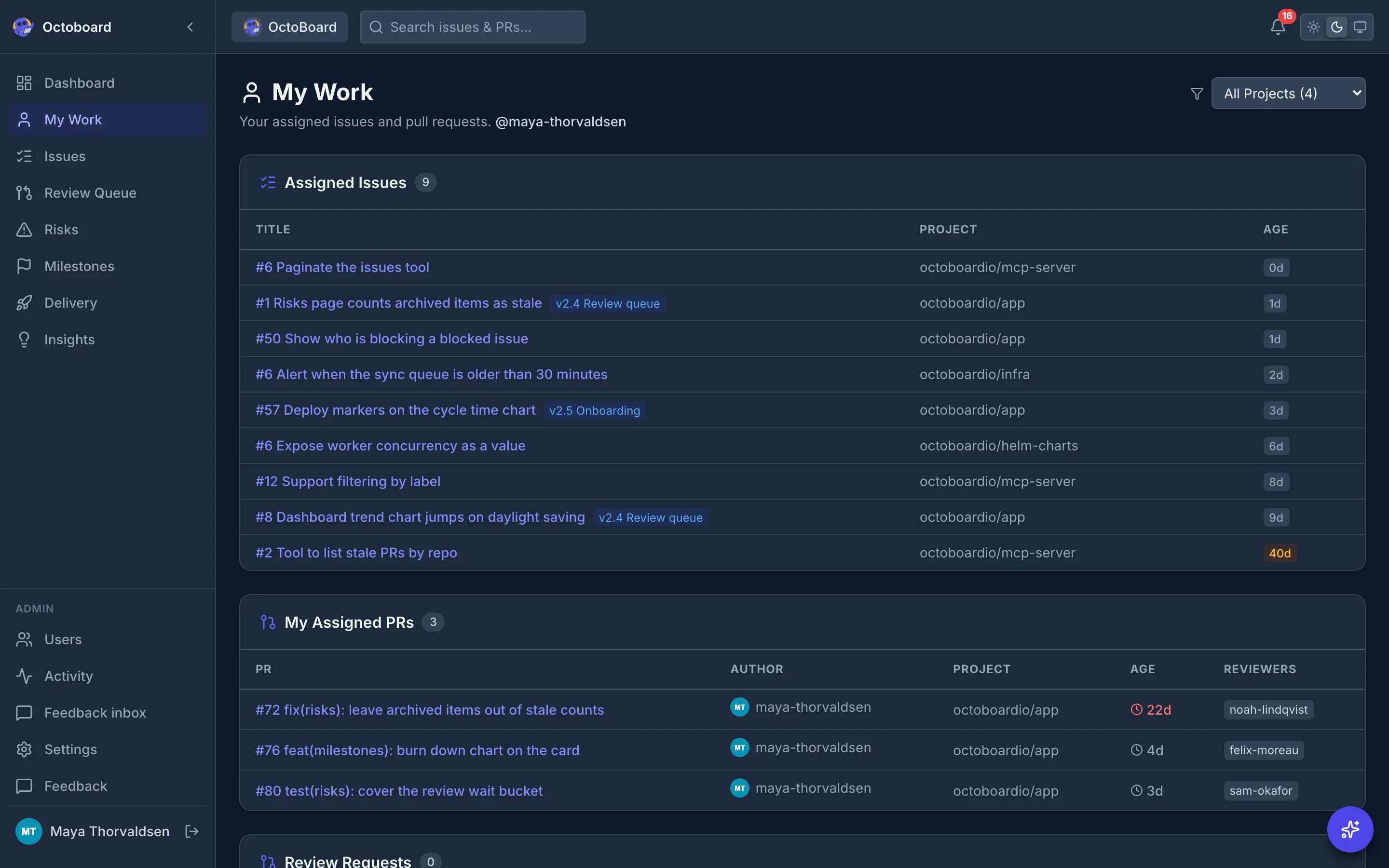
My Work page with sections for assigned issues, my assigned pull requests and review requests My Work page with sections for assigned issues, my assigned pull requests and review requests
Sample data

Issues

Every issue in one table

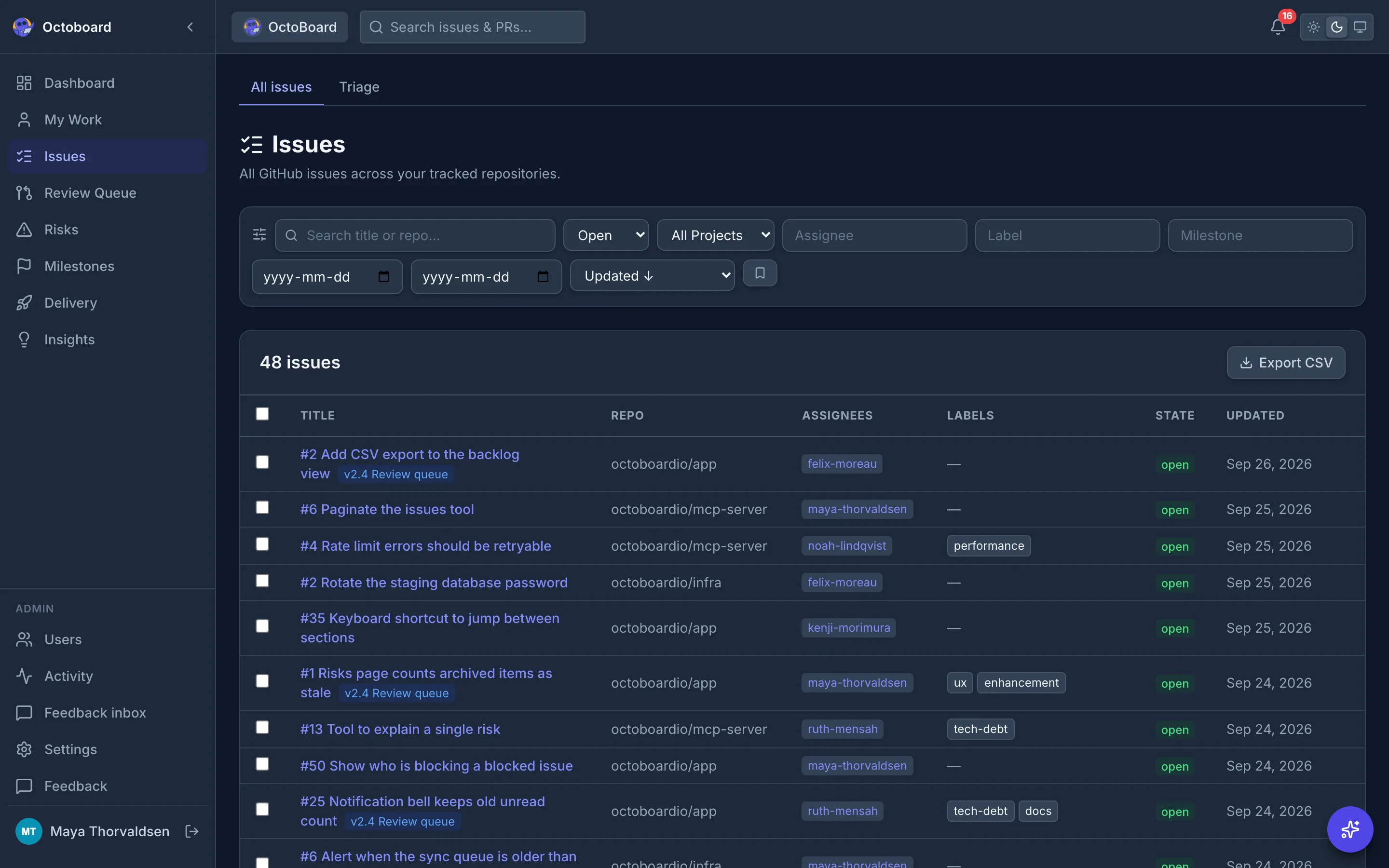
All GitHub issues across your tracked repositories, with filters you can save and reuse.
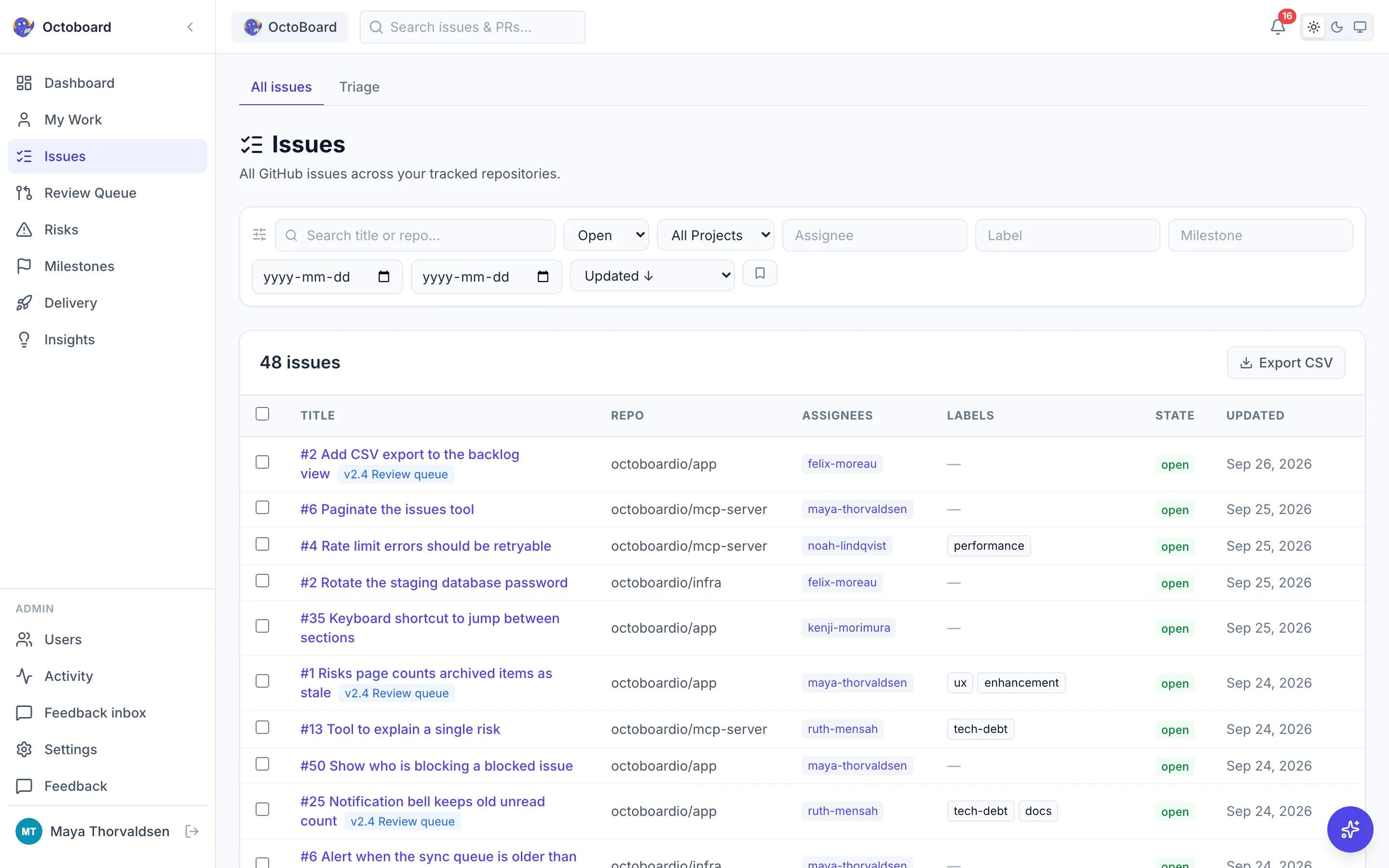
Issues table across all tracked repositories showing titles, labels, assignees and state, with a filter bar above Issues table across all tracked repositories showing titles, labels, assignees and state, with a filter bar above
Sample data

Milestones

Know whether the milestone will land

GitHub milestones synced from your repos, with open and closed counts, due dates, and a burndown for each.
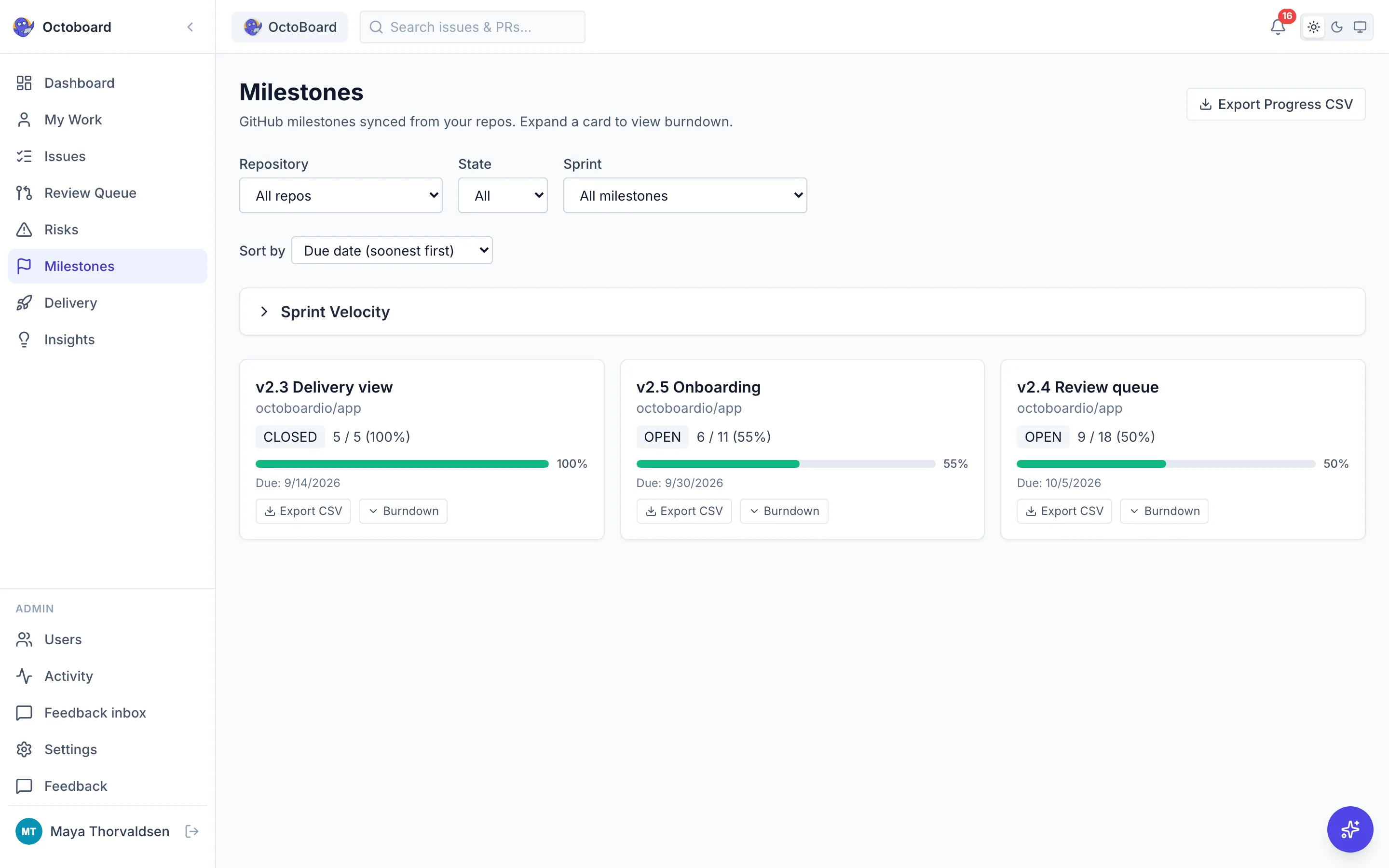
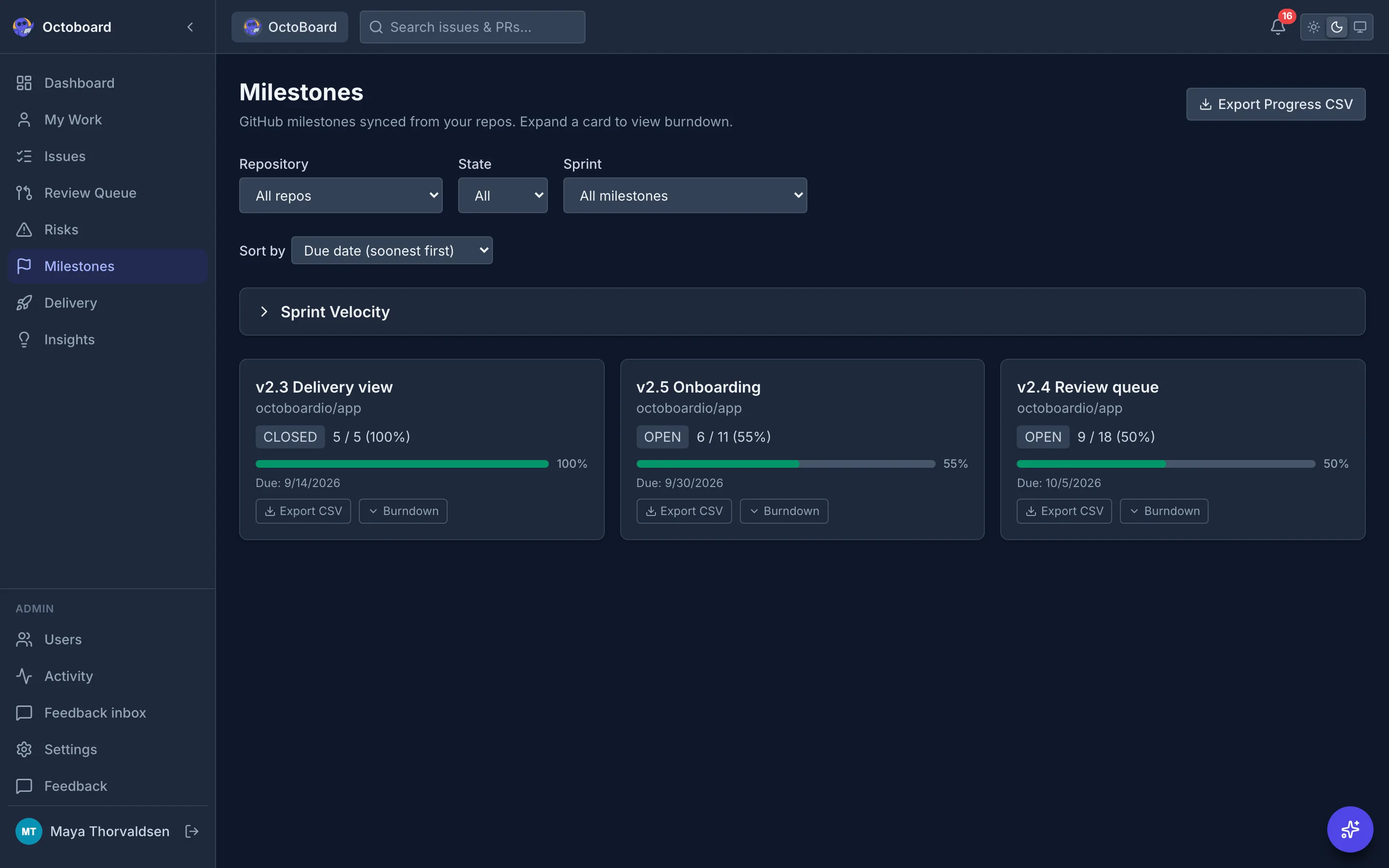
Milestones page with a progress bar, due date and open and closed issue counts for each milestone Milestones page with a progress bar, due date and open and closed issue counts for each milestone
Sample data

Everything reads from GitHub

No second tracker to keep in sync. Issues, pull requests, Actions runs and milestones are the source, Octoboard is the view.

Dashboards

Open and closed issues and pull requests, throughput and project health across every tracked repo.

Risks

Stale pull requests, stale issues, unassigned and blocked work, each linked back to GitHub.

Review queue

Pull requests waiting on review, oldest first, filtered by who opened them: people, AI agents, dependency bots or other automation.

Delivery and DORA

CI health, workflow runs and the four DORA metrics from your Actions runs and pull request data.

Insights and AI risk summary

Written findings about cycle time, throughput and milestones, and a plain language summary of current risks.

Milestones

Progress, due dates and a burndown for each GitHub milestone.

My Work

Your assigned issues, your open pull requests and the reviews requested from you, in one list.

Getting started checklist

Connect your org, pick repos, invite your team, then check risks, the review queue and delivery.

MCP server for agents

11 read only tools, including ready_for_agent and agent_activity, for Claude Code and other MCP clients.

Replace Jira with the GitHub you already use

Your team already tracks work in GitHub Issues and PRs. Why pay $8/seat/month for Jira to get the same visibility? Octoboard reads what GitHub already knows.

All comparisons

No per-seat pricing
Jira, Linear, and Shortcut charge per user. Octoboard is free for your entire org.
No context switching
Your developers already live in GitHub. No more syncing issues between two systems.
5 minute setup
Install the GitHub App on your org and sync starts immediately. No migration needed.
Metadata only
We store issue titles, PR states, and workflow statuses. We do not clone your repositories or read file contents and commit diffs.

Built for teams where people and AI agents share the issues

Coding agents like Copilot, Claude and Codex now pick up GitHub issues and open pull requests. Octoboard shows that work next to your team's, so reviews do not quietly pile up.

  • Agent pull requests, told apart The review queue separates people, AI coding agents and dependency bots, so you see exactly what is waiting on a human reviewer.
  • A work queue agents can read Over MCP an agent asks ready_for_agent for the next open issue that is unassigned, not blocked and not waiting on refinement, sized ones first.
  • A GitHub setup to start from The free, MIT licensed GitHub PM template gives you issue forms, 26 labels, a board standard, 30 workflows and AI agents for sizing, refinement and triage.
Add Octoboard to Claude Code
claude mcp add --transport http octoboard \
  https://app.octoboard.io/api/mcp \
  --header "Authorization: Bearer YOUR_API_KEY"

11 read only tools

  • ready_for_agent
  • agent_activity
  • get_projects
  • get_summary
  • search_issues
  • search_pull_requests
  • get_risks
  • get_blocked_work
  • get_dora_metrics
  • get_team_stats
  • get_milestones

How it works

  1. Sign in with GitHub

    One-click OAuth. No passwords, no tokens, no config files.

  2. Pick your repos

    Install the GitHub App on your org and choose the repositories to track. Sync starts right away.

  3. See your dashboard

    Delivery throughput, review health, and risk signals, as soon as the first sync lands.

  4. Connect your agents

    Optional. Create an API key and add the MCP server to Claude Code or any MCP client.

Start free with GitHub

Case study

How CloudDrove replaced Jira with GitHub + Octoboard

CloudDrove manages 60+ repos (public and internal) with a team of 30+ engineers. Before Octoboard, they used Jira for project tracking, which meant duplicating every GitHub issue, syncing statuses manually, and paying per seat.

After switching to Octoboard, the team dropped Jira entirely. GitHub Issues became the single source of truth. Delivery metrics, risk signals, and team performance are now visible as GitHub events arrive, with no manual effort and no cost.

Read the case study
Repos tracked
60+
Engineers
30+
Per-seat cost
$0
Setup time
5 min

Frequently asked questions

Is Octoboard really free?

Yes. Octoboard is free for all teams, with no per-seat pricing and no credit card required. We may apply reasonable capacity limits, such as on connected repositories, to keep the service available for everyone.

What data does Octoboard access?

Only metadata: issue titles, PR states, workflow statuses, and contributor activity. We never access your source code, file contents, or commit diffs.

Can AI coding agents use Octoboard?

Yes. Octoboard runs an MCP server with 11 read only tools, including ready_for_agent, which lists open issues an agent could pick up next. Agents only see repositories the owner of the API key can access.

How is this different from GitHub Projects?

GitHub Projects gives you boards. Octoboard gives you the analytics layer on top: DORA metrics, cycle time, throughput charts, risk detection, AI-powered insights, and a team leaderboard. Think of it as the dashboard GitHub doesn't have.

What about GitHub API rate limits?

Octoboard uses GitHub App installation tokens, so each org gets its own rate limit budget rather than sharing one with other users. Syncs are metadata only and stay well inside that budget for most teams.

Does it work with GitHub Enterprise?

Octoboard supports GitHub.com today. GitHub Enterprise Cloud and GitHub Enterprise Server are not supported yet.

How long does setup take?

About 5 minutes. Sign in with GitHub, install the GitHub App on your org, and your dashboard is live. No migration, no configuration, no training needed.

Your team already uses GitHub. That's enough.

Free for all teams. No credit card. No per-seat fees.